Cantus

The studio

Record, mix, perform and write: everything beyond the tour.

New · the recording mode

Prepare to record: the whole song baked, only your take live

A heavy song and a low buffer do not mix: every plug-in must finish before the next block. Cantus renders the song you are recording over, so while you play, the computer only reads and sums — and the buffer can go down without dropouts.

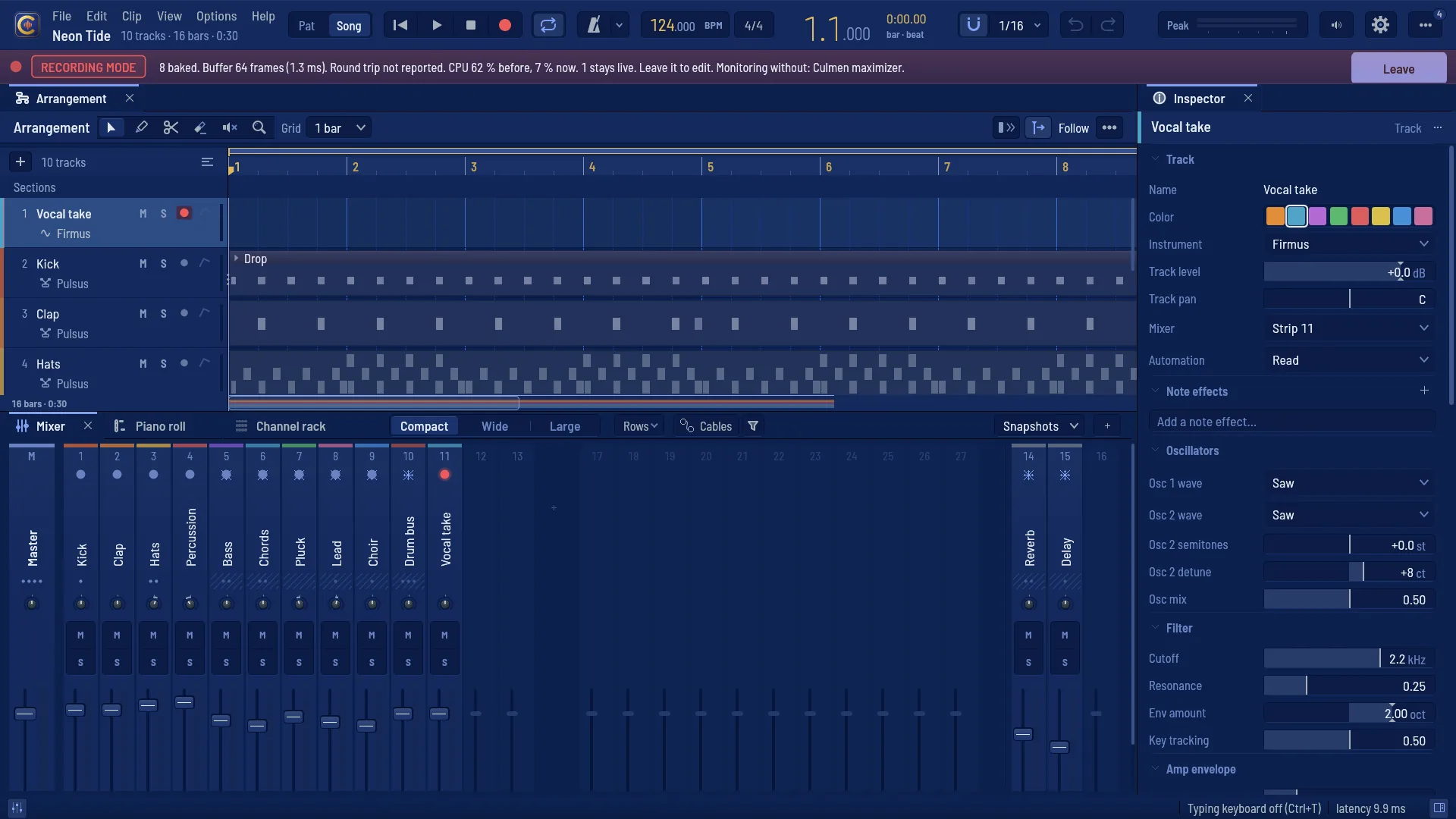
Neon Tide in the recording mode: every strip that feeds the master baked, the armed vocal take live, and the bar across the window
Neon Tide in the recording mode: every strip that feeds the master is baked, the armed vocal take stays live, and the bar across the window says so. (The CPU figures in this picture are staged for it; the measured ones are below.)

Measured: 64 tracks with effects

  • Live224–590 %of each block's time: it could not play live at any buffer from 32 to 512 frames
  • In the mode2–4 %mean, the 64 strips baked and streamed from disk, same buffers
  • Master baked too0.4–0.9 %mean: the whole mix as one stream
  • Disk underruns0in one-minute real-time runs at every buffer from 32 to 1024 frames, with 64 and with 128 streams
  • Lowest clean buffer here64frames (1.3 ms) for 64 streams with no block over budget in a minute — 128 frames for 128 streams

Each track a synth into EQ, compressor, delay and reverb; processor time per audio block against the block's length, one thread, on the development machine (Windows, 16 logical cores). The live runs shared the machine with other builds; the mode's ran on a quiet one, paced at the device's rate. Preparing 64 one-minute tracks took 236 s. On your interface the numbers will differ. Method and every figure: docs/round36/record.md.

  • Everything baked but your take

    One click renders every strip that feeds the master — its effects, sends and automation, before its fader — and plays the renders back as streams. Armed tracks stay live with their own effects; the master chain can stay live or be baked too.

  • Mix while you record

    Fader, pan, mute and solo keep working on every baked strip that goes straight to the master, and fader and pan on one that feeds others only before its fader; the question says how many stay locked. Or lock them all. Anything else waits behind the line Recording mode — leave it to edit.

  • A bar you cannot miss

    The buffer, the round trip, the CPU before and now, how many strips are baked, what monitoring leaves out, and Leave — always on screen while the mode is on.

  • Leave it, and nothing changed

    The baked mix equals the live mix to the bit — the tests hold it at every block size. The mode is never an undo step and never written into your project; going back in renders only what changed since.

  • Optional, never automatic

    It never switches on by itself. A plug-in that cannot render offline is named and stays live, or stops the preparation — you choose before it starts.

The professional studio

A console's VCAs and scenes, an audio editor, your outboard gear on time, a control surface under your hands, and ARA plug-ins on your clips.

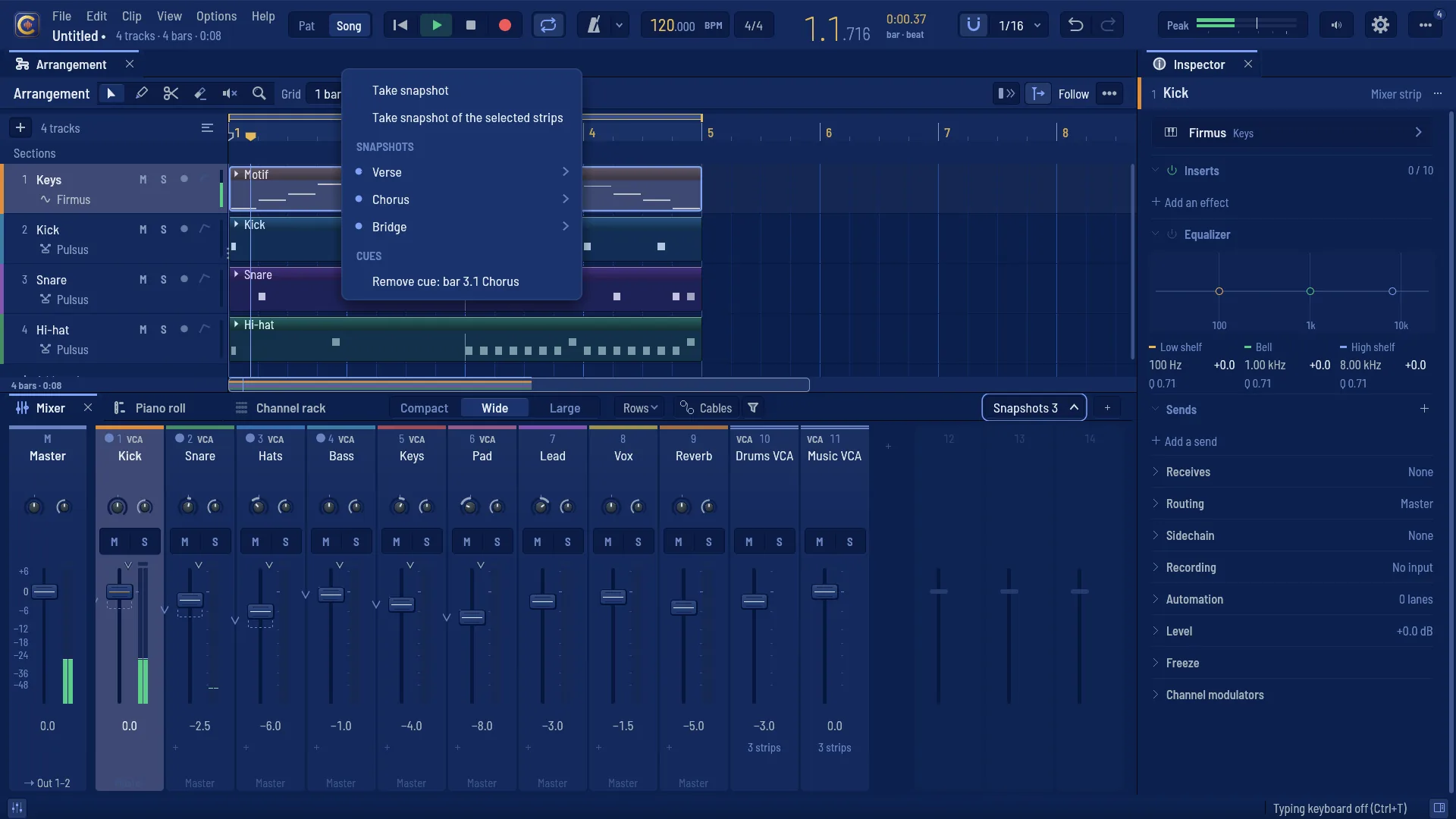
The mixer with two VCA strips and the Snapshots menu open

VCA faders, snapshots and scene cues

A VCA strip moves its members' gain at the gain stage: their own faders and automation stay where you left them, and a member can follow two VCAs, or a VCA another. Snapshots take the whole desk or chosen channels and recall them in one undo step, with recall-safe and solo-safe strips and an A/B compare; put one on the timeline and the mix changes on that bar.

A VCA at 0 dB touches no sample: a null test holds it.
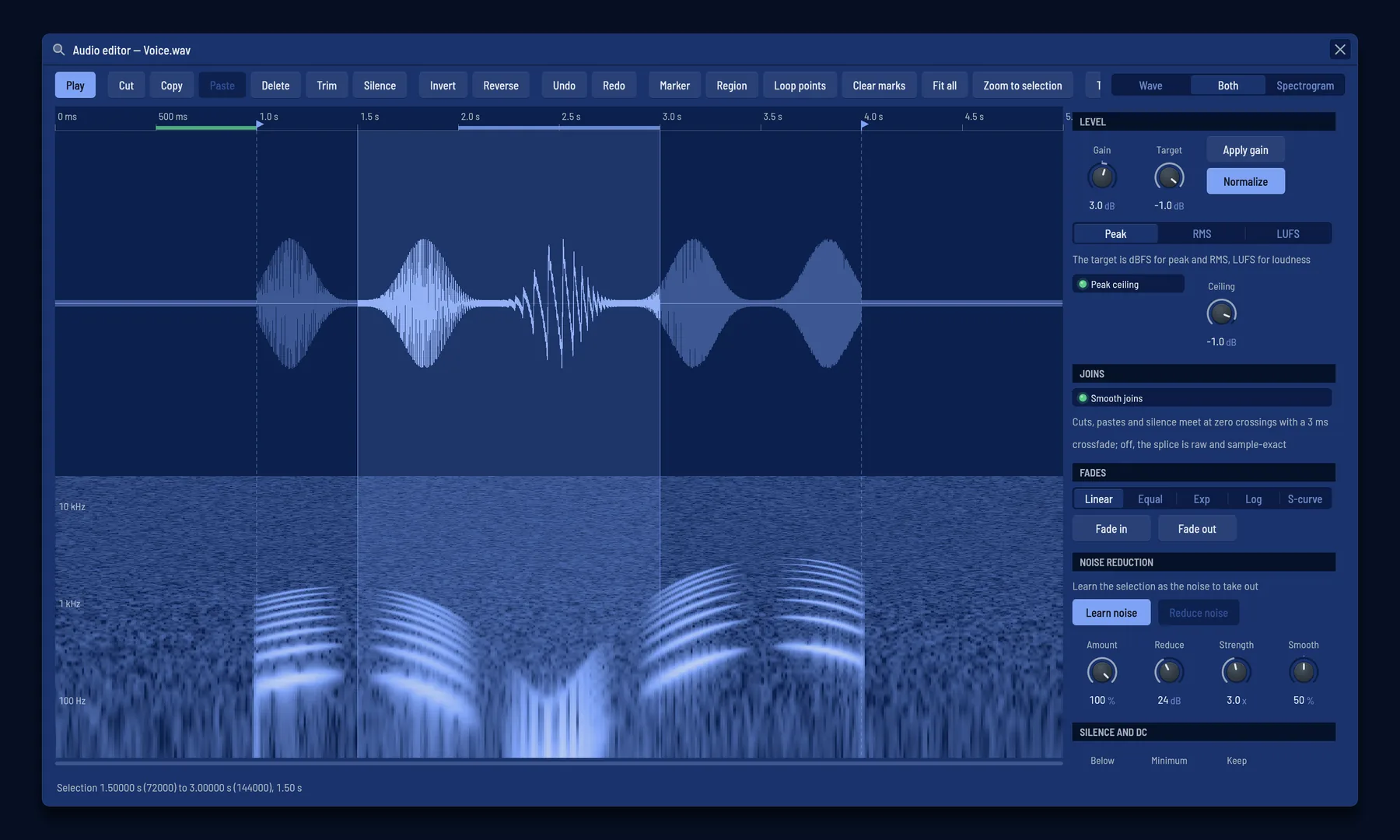
The audio editor: the waveform over its spectrogram, a selection, markers and the noise reduction controls

An audio editor, opened from the clip

Edit in audio editor… on any clip: cut, paste, silence, fades with five curves, normalise to peak, RMS or LUFS, reverse, remove silence — each edit a new file and one undo step, the original kept. A spectrogram where you select a region in time and frequency and turn it down; noise reduction by a learned profile; declick and repair. Markers, regions and loop points travel with the file.

In its tests: hiss 12 dB down or more, a voice within 1 dB.

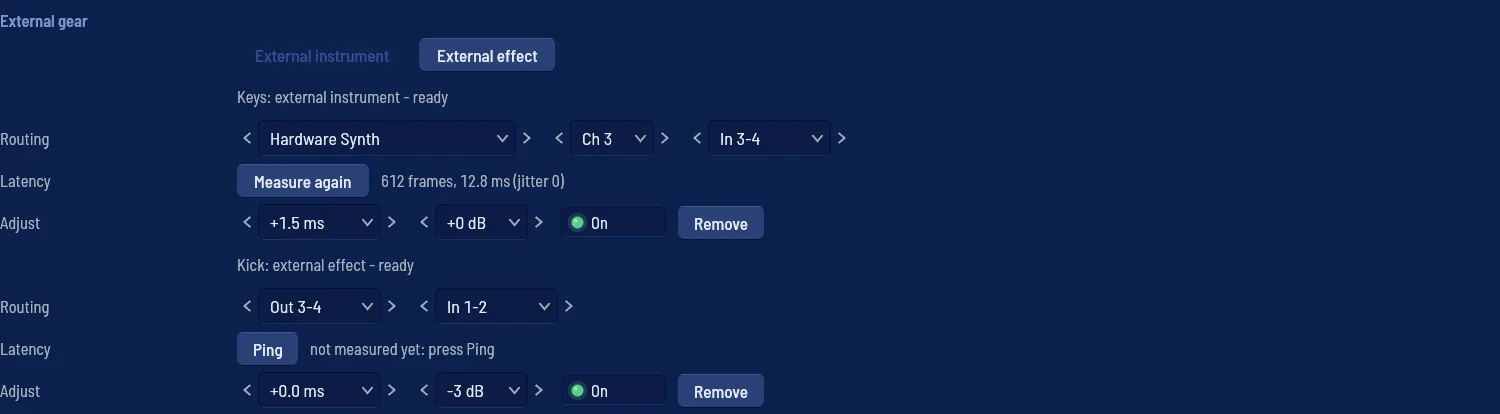
Settings, MIDI: an external instrument with its measured latency, and an external effect waiting for its ping

Outboard gear, on time by itself

External instrument and External effect units send MIDI and audio out of your interface and bring the result back. Ping sends a burst out and listens for it to return: the trip is measured to the sample, stored with the unit, and delay compensation uses it. An interface that is unplugged is said, never loaded blindly.

Hardware cannot be rendered offline: export and freeze refuse a track with outboard gear and say why.

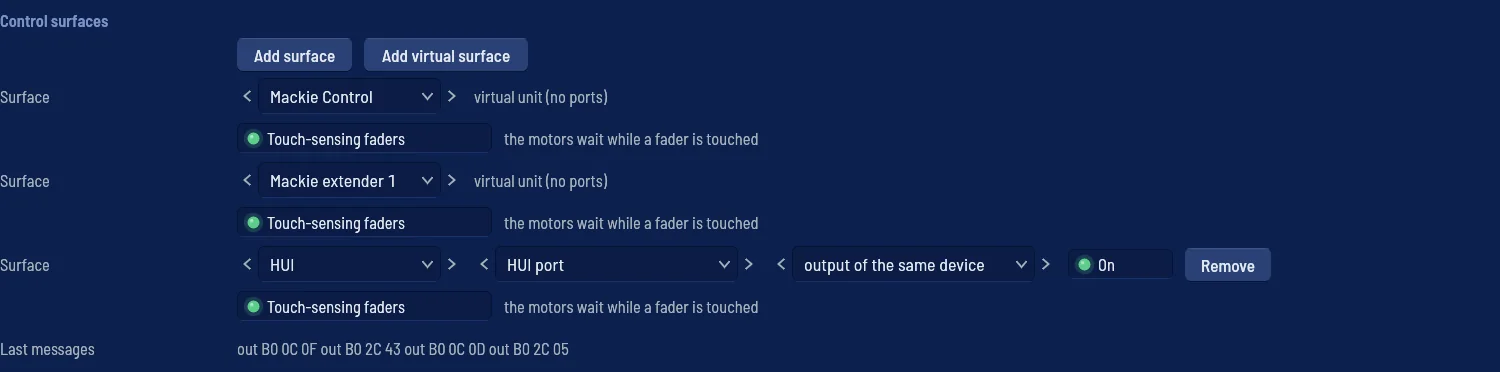
Settings, MIDI: a Mackie Control, an extender and a HUI, with the last messages sent

Mackie Control and HUI

A Mackie Control with its extenders, or a HUI, drives the mixer: motor faders that never fight your hand, V-Pots, transport and jog, banks and flip, scribble strips, meters and the timecode display. Two clicks to set one up; generic MIDI mapping stays beside it.

Tested byte for byte against a built-in emulation of both protocols, written from their published notes; trying it on real hardware is still to come.

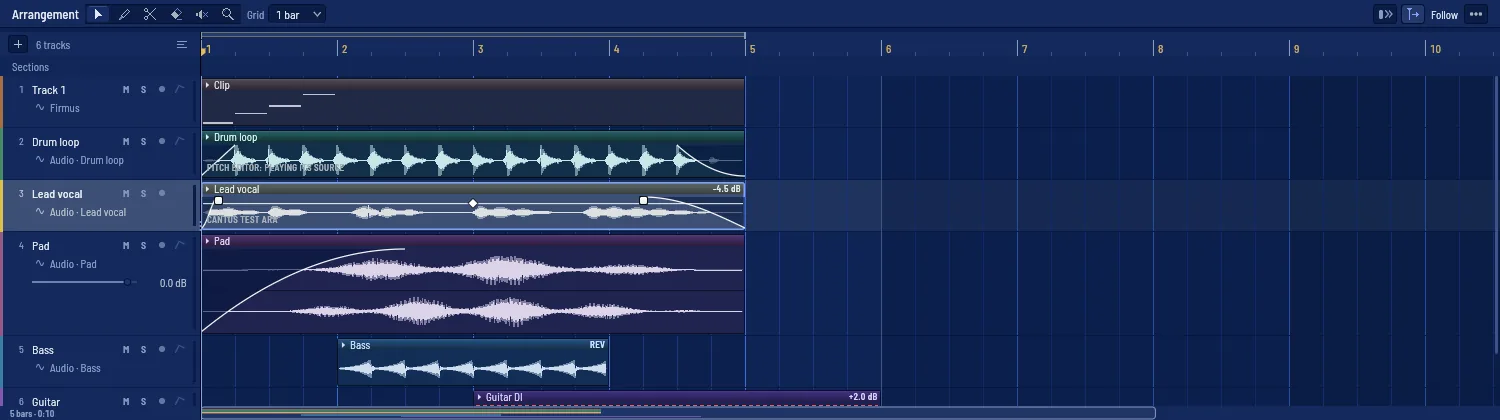
Audio clips in the arrangement, one rendered by an ARA plug-in

ARA 2 plug-ins on your clips

Cantus hosts ARA 2 plug-ins on audio clips: bind a clip, open the plug-in's editor from it, and each edit gesture is one undo step. The plug-in renders the region and Cantus plays the render, so fades, clip gain and offline export keep working.

ARA plug-ins run inside Cantus's own process, not isolated like other plug-ins — the clip menu says so.

Play it live: the session view

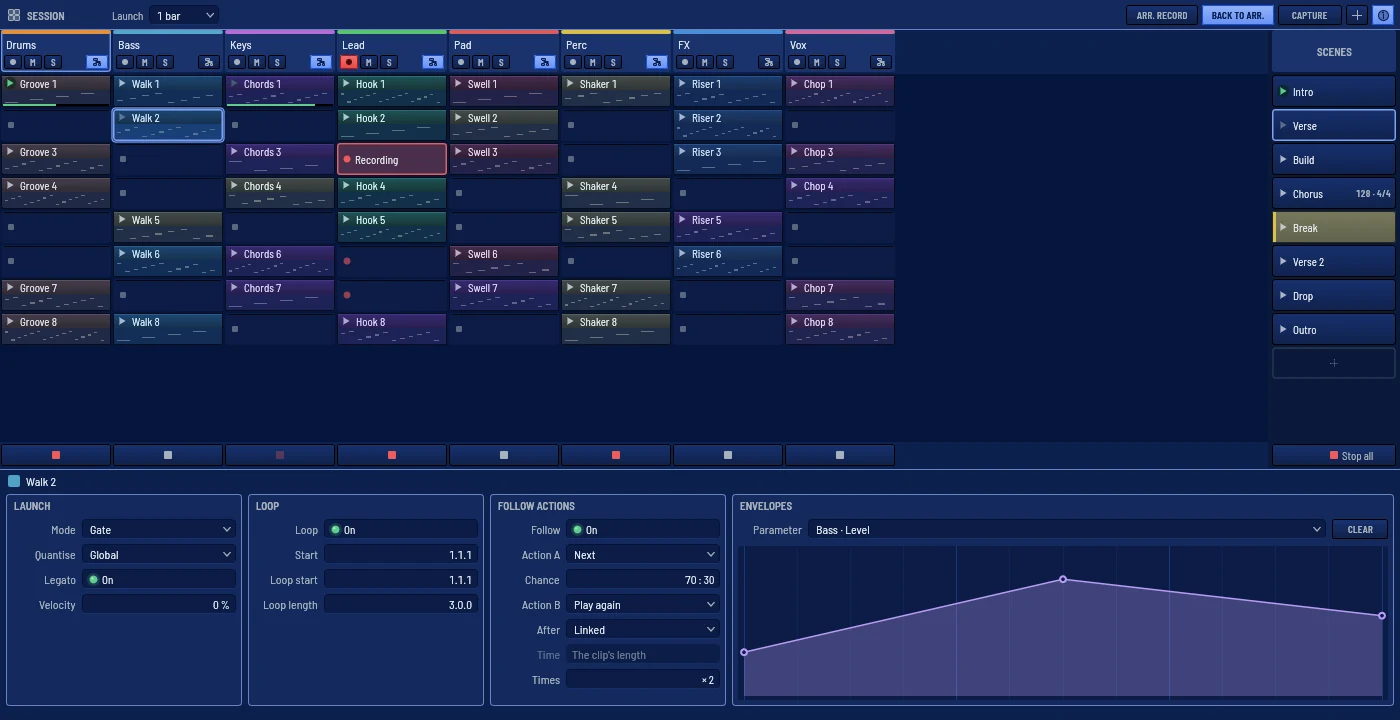
Press Tab and the arrangement gives way to a grid of clips and scenes to launch, loop and record — in time with the rest of your studio.

Cantus — session view
The session view: an 8 × 8 set playing, a clip's panel open
The top bar with Link on: two peers, quantum 4, the tempo it follows
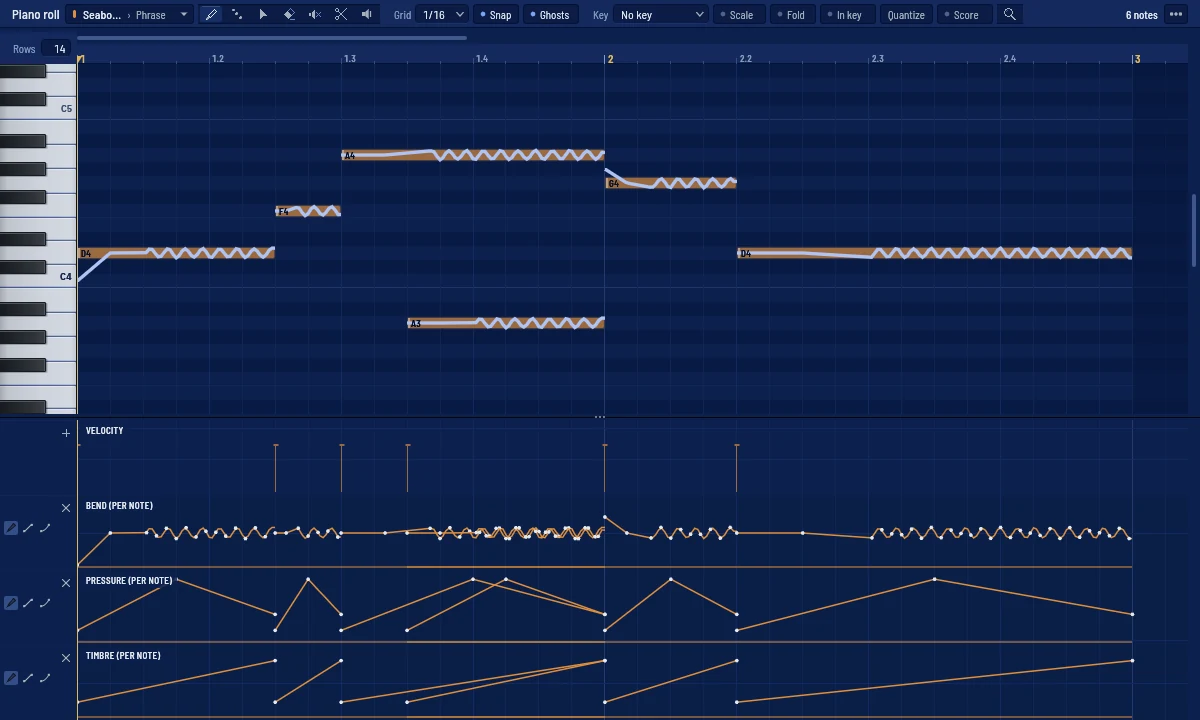
The piano roll's per-note lanes: bend, pressure and timbre
Each note keeps its own bend, pressure and timbre.
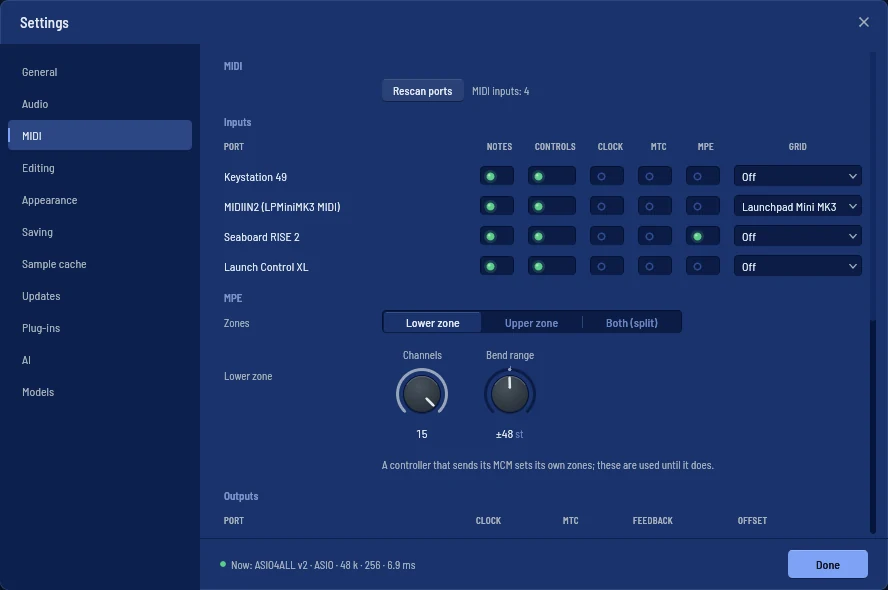
Settings ▸ MIDI: each port's notes, controls, clock, time code, MPE and grid
Every port in one row: notes, controls, clock, time code, MPE, grid.
  • Launched on the grid

    A clip or a whole scene starts on the next bar, or held as a gate. Follow actions, envelopes, a scene's own tempo and metre — and Arrangement record writes what you play.

  • Launchpad and APC

    Plug in a Launchpad Mini MK3, X or Pro MK3, an APC mini mk2 or an APC40 mkII: the pads launch and light in the clips' colours. Or learn any pad, key or note.

  • Ableton Link, MIDI clock, MTC

    Share tempo, beat and start with Live and every Link app on the network, or follow and send MIDI clock and time code.

  • MPE, note by note

    Bend, pressure and timbre from your controller, recorded on each note and drawn in the piano roll; the instruments and MPE plug-ins play them.

The score, from the piano roll

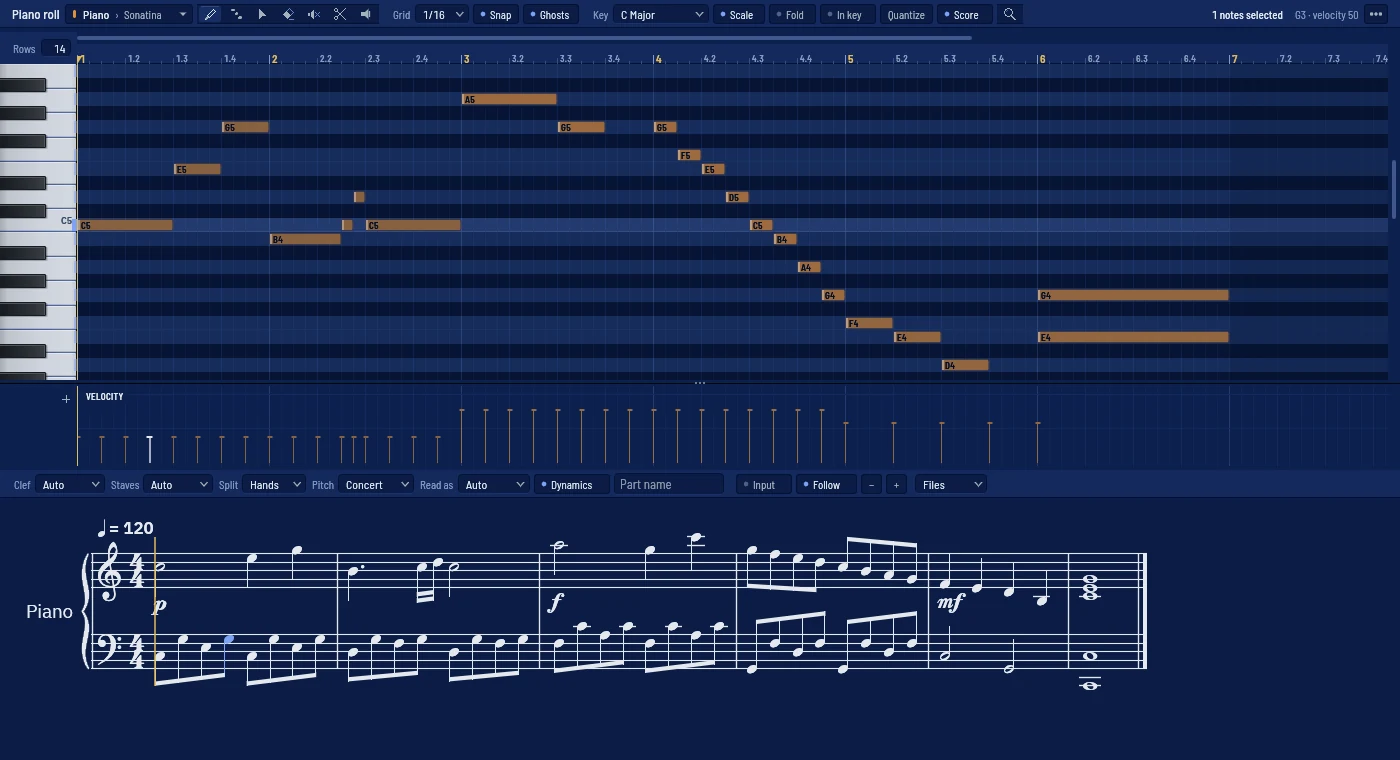
Press Alt+S and the clip you are writing appears as an engraved staff under the piano roll, following the playhead. A whole track gets a pane of its own.

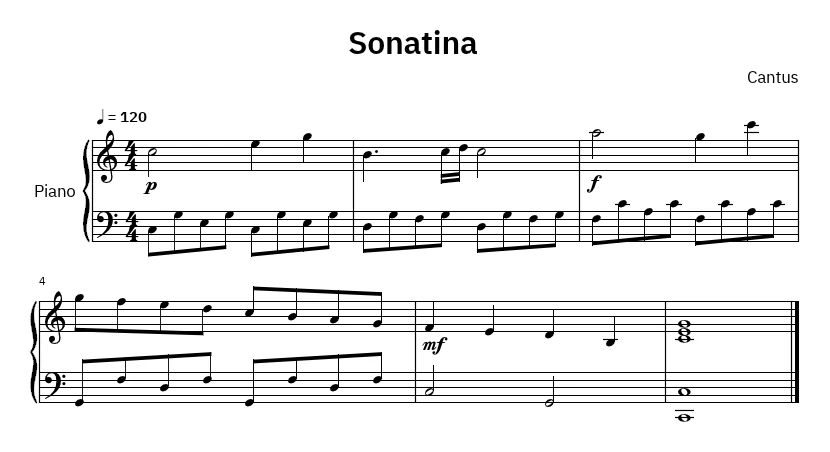
Cantus — piano roll and score
The piano roll with the engraved staff under it
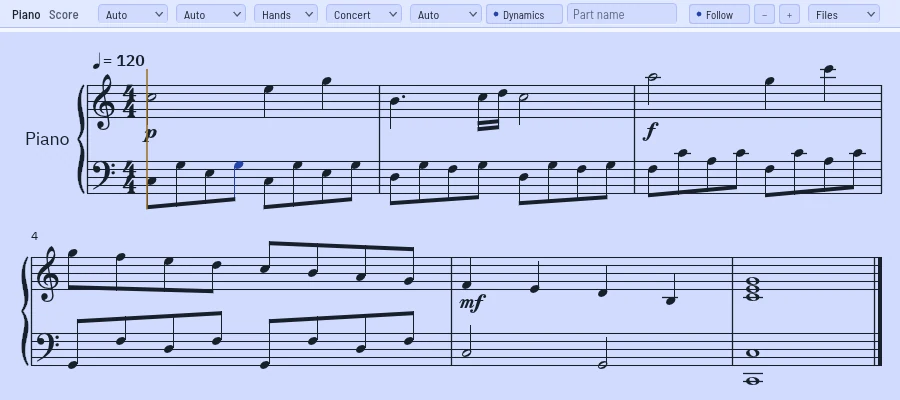
The Score pane, in the light theme
The Score pane, systems wrapped to its width.
The top of a printed A4 page
A page as the PDF prints it.
  • Read, not moved

    The notes are read for the score only — each beat picks straight values or triplets — and what you hear never moves.

  • Engraved like the notation programs

    Ties that show the beat, beams by the metre, a grand staff that follows the hands, accidentals in the song's key, dynamics from velocity, in the SMuFL font Bravura.

  • Edit on the staff

    Click a note, move it a step of the key, or type notes by letter and value. Every edit is one undo step.

  • MusicXML, PDF, print

    Send a part or the whole song to any notation program as MusicXML 4.0, export a vector PDF on A4 or Letter, or print it.

An engine that does not blink

The audio thread is the one place where a mistake is heard. So it is built to be boring, and tested until it is.

  • It never allocates, locks or waitsA test counts every allocation on the audio thread. The number must be zero.
  • Your export equals what you heardRendering offline and playing in real time produce identical samples, bit for bit.
  • As many cores as you give itThe live engine spreads the work over a pool of real-time workers — and sounds exactly the same on one core or eight.

From first idea to last bounce

Cantus is a beta: the whole path from a blank project to an exported song works today, and it is where we spend our time.

  • Arrangement, piano roll, channel rack

    Draw patterns, program drums, write melodies and lay it all out on a timeline. Dock, split and resize every panel.

  • A real mixer

    Sends, groups, submixes, VCA faders, snapshots and a master strip with a chain, in the FL Studio tradition.

  • Instruments and effects of its own

    Wavetable, analog, FM, sampler, bass, organ, electric piano, a modelled grand piano and drums; 42 effects from EQ and compressor to chorus, flanger, clipper and analyser — each with a face of its own.

  • A session view, in sync

    Launch clips and scenes from a grid, a Launchpad or an APC; share the tempo over Ableton Link or MIDI clock; play and edit MPE note by note.

  • AI that works with you

    Let Claude or another assistant work in Cantus through MCP, each change one undo step; separate stems, turn audio into MIDI and master with an assistant that says why.

  • Works with the rest of your studio

    Hosts CLAP, VST3 and ARA 2 plug-ins; your outboard synths and effects, on time after one ping; a Mackie Control or HUI on the mixer; its own effects as CLAP and VST3; MIDI files, stems and DAWproject in and out.

  • Record at a low buffer

    The recording mode bakes the song so only your take is live. ASIO and WASAPI on Windows, PipeWire, JACK and ALSA on Linux; projects recover after a crash.

  • Export it, finished

    WAV, FLAC, MP3 and Ogg, with loudness presets for the places you will publish.